
Since writing my prior articles, Broadcom has released some patch versions of vSphere Supervisor, VKS services and Kubernetes releases. I thought I’d write a quick article on how to apply them.
Table of Contents
Introduction
First off, Broadcom is no longer updating the Supervisor Services GitHub page. The last release posted was VKS 3.4.0, and the latest available on the Broadcom download page is VKS 3.6.2.
Since vCenter 9.0, there is no longer an automatic upgrade of the Supervisor when upgrading vCenter. Instead, upgrades now require a matching Supervisor version, aligning VVF with VCF.
- vSphere Supervisor 9.0.2.0100 brings bug fixes and Security patches.
- VKS 3.6.2+v315 brings improvements with in-place propagation flow, security profile permissions, and add-on repository updates. CAPI has been updated for upstream stability, critical customer issues have been resolved, and essential security patches have been applied.
- VKR 1.35.2 brings bug fixes and security patches.
You may be wondering how to keep up to date with the latest updates. It’s best to bookmark the following release note pages.
- VCF release notes.
- VKR releases.
- VKS releases.
- vSphere Supervisor releases.
- VKS standard packages releases
VCF Upgrade Process
When performing minor or major upgrades, we first need to upgrade the management components, then the core components. If only performing patching, it doesn’t really matter what order you follow. In our case, we are only installing patches.
If doing minor or major upgrades, management components need to be upgraded in the following order.
- VCF offline depot tool binaries if using an offline depot.
- VCF Operations fleet management appliance.
- VCF Operations.
- The remaining components can be in any order. VCF Operations for logs, VCF Automation, VCF Identity Broker and VCF Operations.
Next, the core components need to be upgraded in the following order.
- SDCC manager.
- NSX.
- vCenter.
- ESX Hosts.
- vSAN.
A detailed table of the order is also available in KB 390634.
Interopability Checks
Before doing anything, we need to review the interoperability matrix. Here is what my environment currently runs. We can gather most of this from VCF Operations > Fleet Management > Lifecycle. The supervisor elements are found in the vSphere UI.
| Component | Current Release |
| vSphere Supervisor | v1.32.9+vmware.2-fips-vsc9.0.2.0 |
| vSphere Kubernetes Release | v1.35.0+vmware.2-vkr.4 |
| Supervisor Service – vSphere Kubernetes Service | 3.6.0+v1.35 |
| Supervisor Service – Local Consumption Interface | 9.0.2+f943fb89 |
| VCF Operations | 9.0.2.0-25137838 |
| SDDC Manager | 9.0.2.0.25151285 |
| NSX | 9.0.2.0.25150388 |
| vCenter | 9.0.2.0.25148086 |
| ESX | 9.0.2.0.25148076 |
| AVI Load Balancer | 31.1.2 |
From VCF Management > settings > upgrades, we can click check for upgrade. No upgrades are known, as the patches are specific to Tanzu components only.
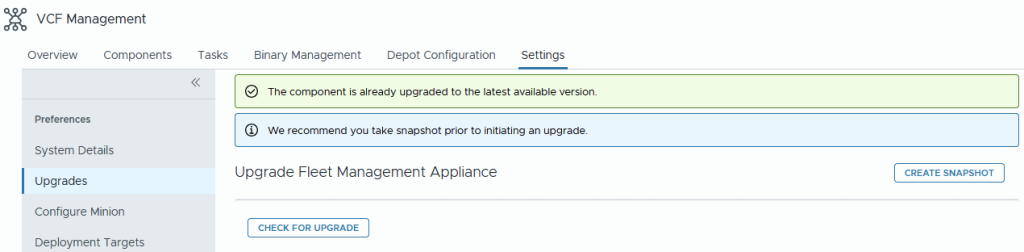
To check the core components, we can perform a metadata sync from VCF Instances > Instance > Binary Management > sync now. Nothing shows here either.
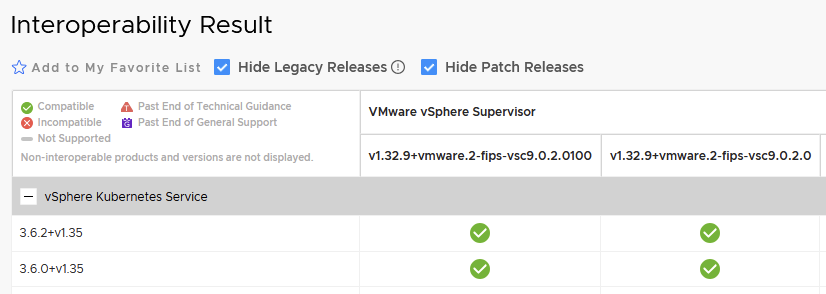
If we enter our current vSphere Supervisor version into the interoperability matrix tool, we can see a patch release for vSphere Supervisor and vSphere Kubernetes Service only. Our current AVI version is valid for both releases.
If we enter vSphere Kubernetes releases into the interop tool, we can see that there is a new vSphere Kubernetes release that only works with VKS 3.6.2+v1.35.
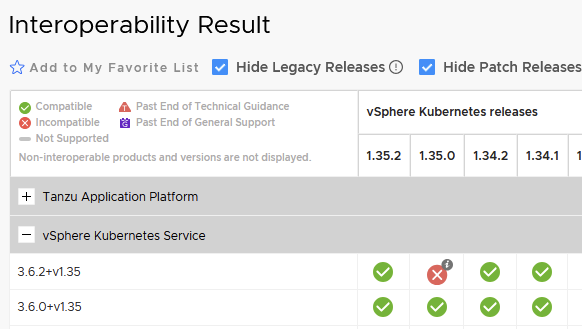
We now know our patch path. We need to first get onto VKR 1.35.2 and then migrate to VKS 3.6.2.
Patch Steps
For any deployed VKS clusters, we patch the VKS cluster YAML spec to v1.32.5. We can find the releases with the following command.
## grab current supported releases
k get kr | grep -E "READY|True"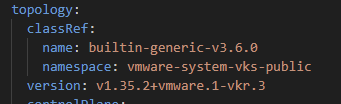
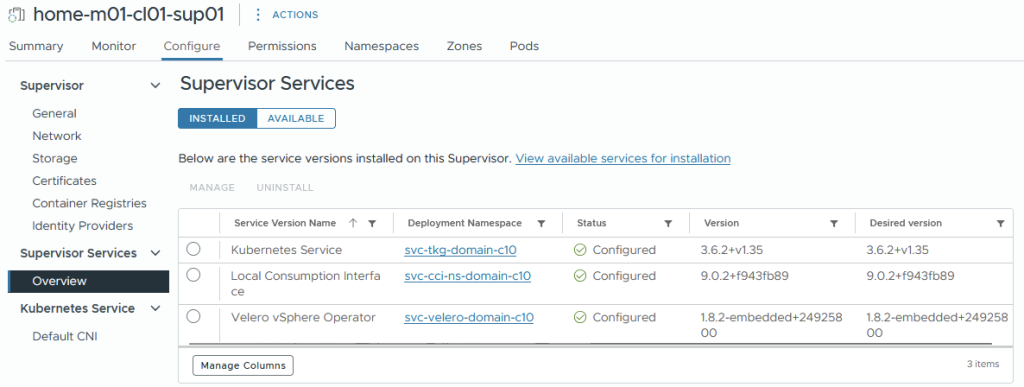
Once patched, the nodes will be replaced, after which we will update VKS services to 3.6.2. You can check out this article on how that part is done. There is no current update for the local consumption interface, so we will leave that one alone.
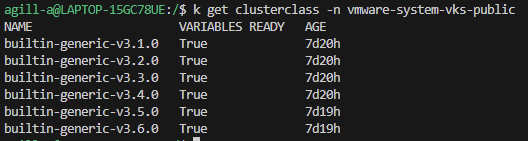
We can then check compatible ClusterClasses and Kubernetes releases with the following commands. Remember that the later ClusterClass versions now reside in the “vmware-system-vks-public” namespace.
k get clusterclass -n vmware-system-vks-publicDespite deploying 3.6.2 of vSphere Kubernetes Service, the ClusterClass remains at 3.6.0.
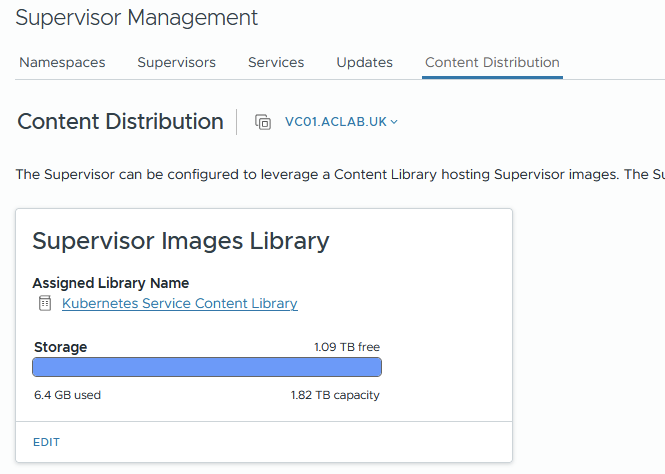
The last part is to get the vSphere Supervisor upgraded to the new patch release. This may be possible via vSphere Automation; however, due to a lack of memory in my single-node lab, I’ve not yet deployed this. To perform the upgrade, go to vCenter > Menu > Supervisor Management > Content Distribution > make sure the Kubernetes Services Content Library is attached.
Go to the update tab. On my 9.0.2 deployment, I get this error, which we can fix with Broadcom KB 433761 by changing the content library URL from the one configured by the Supervisor deployment to the URL at the bottom of the KB – https://wp-content.broadcom.com/supervisor/v1/latest/lib.json
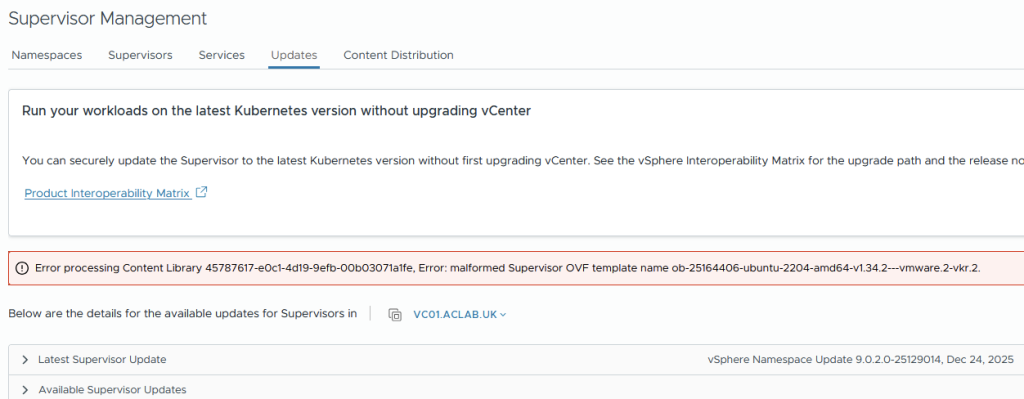
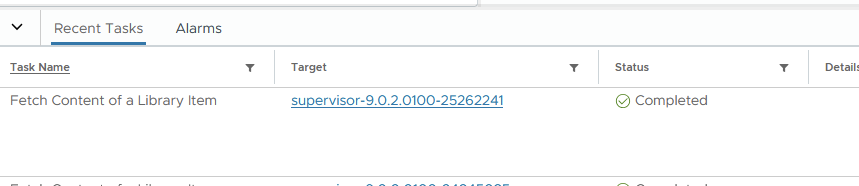
Once done, the later release will be downloaded.
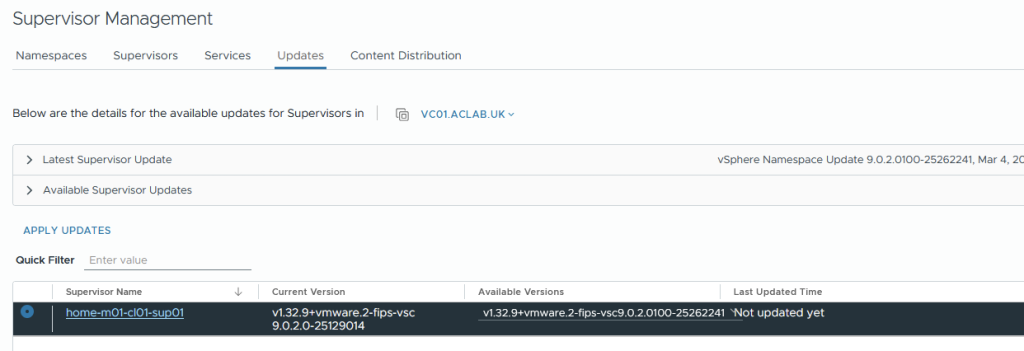
Back on the update tab, the update is available and can be applied.
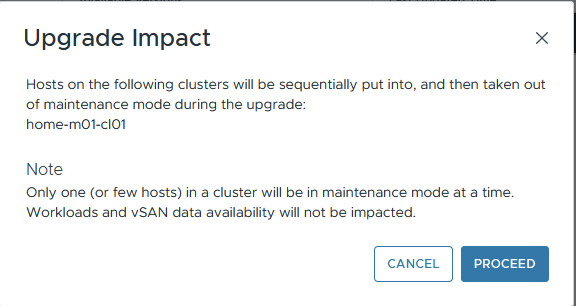
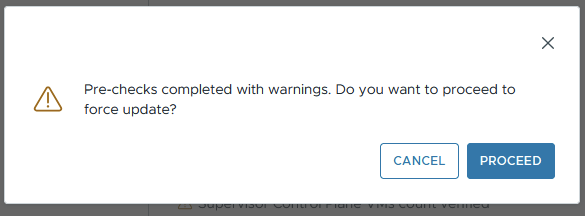
Clicking updates, we can proceed with the warning.
The pre-checks show the following errors. I believe the degraded mode is due to a single control plane node.
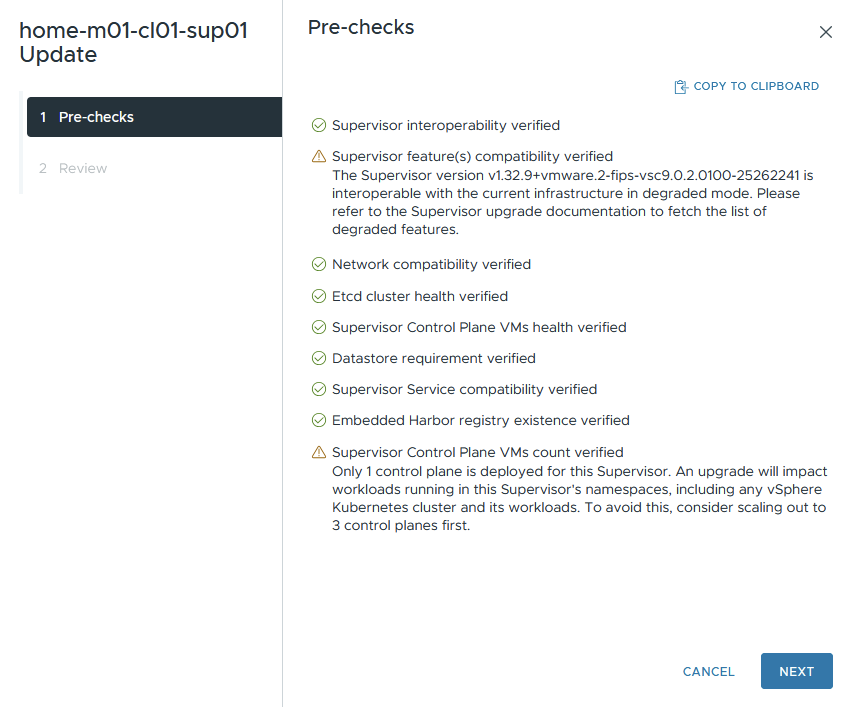
I ignored the errors and clicked next, then proceeded to force the upgrade.
From the supervisor tab, we can watch the upgrade.
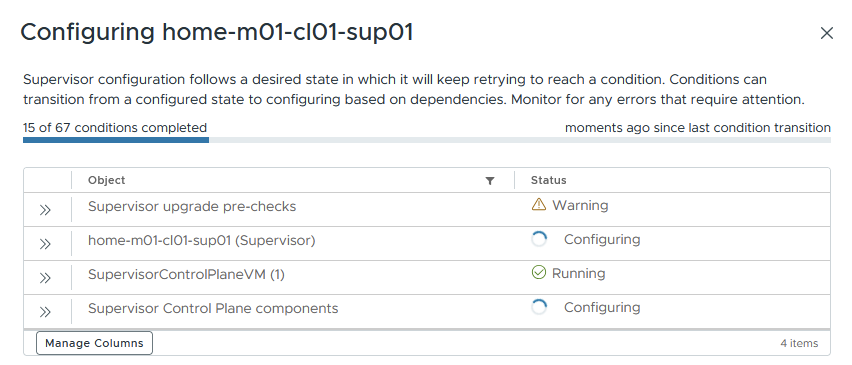
As expected, a second supervisor node is deployed alongside the existing one. This is normal behaviour for Kubernetes upgrades; if we had three nodes, a fourth would be added. This is the reason we need a minimum of 5 IP addresses for the deployment (3 nodes + VIP + 1 node for upgrades).
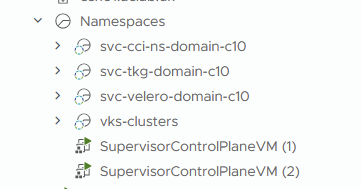
If we type the command below when logged in to the supervisor, we can watch the new node enter the cluster, and the old one leave.
## watch nodes come and go during the upgrade
watch kubectl get nodes
Our new supervisor nodes will be running the latest version, and our upgrade will be finished.
Conclusion
Hopefully, this helps with upgrading the vSphere Supervisor and all of the related components. For my clients, the interop table can get quite large and complex. I highly recommend making a note of all dependencies and thoroughly checking the interop tool, as this article highlights. You don’t want to find yourself with broken components.
Best of luck with your upgrade.
